
Optimizing site speed: Strategies for rapid performance improvement
People often deal with slow websites. They need to spot the usual problems and sort them out. That way performance gets a real lift.
When it comes to website performance, the main thing is how quickly pages load and how well the site responds. This setup gives users a quick and easy time browsing around. Getting the loading speed right turns out to be pretty crucial for everyone involved.
Owners of any site should pay attention to this. It affects their whole operation in ways they might not expect.
Fast sites boost conversions and reduce bounces
Pages that load quickly cut down on bounce rates quite a bit. They help drive up conversions too.
And they really help build customer loyalty over time. Sites with slow loading times end up losing visitors pretty fast.
Fast pages enhance user experience
Google knows page load speed is vital. Delays cause friction and cost satisfaction. Research found slow mobile results can cause more stress than a horror movie.
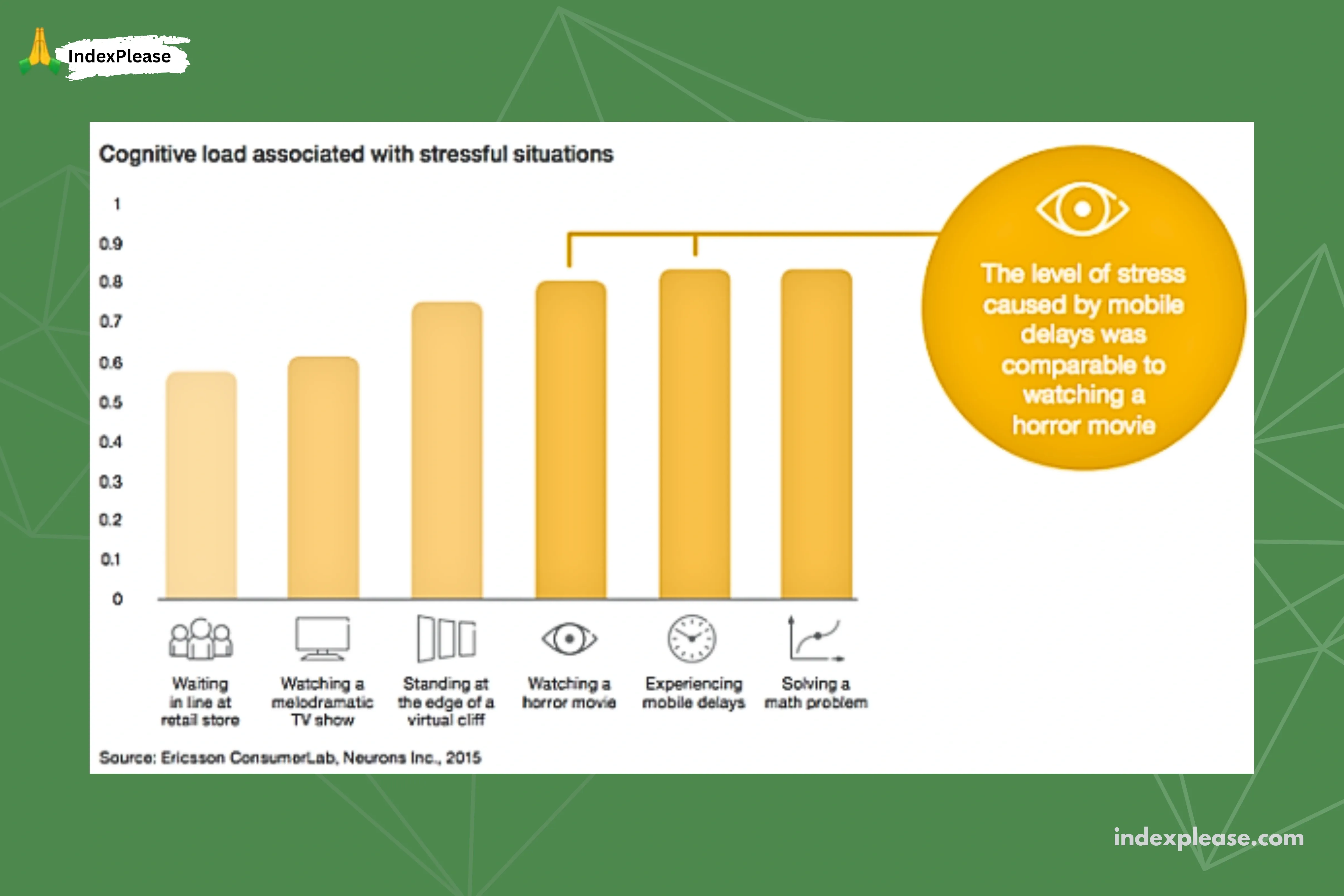
Faster site speed means happier users, more purchases and better rankings.
Frustration harms users and rankings
Speed affects consumer outcomes: nearly 70% of willingness to buy is affected by page speed, 20% of cart abandonment is due to slow transactions and the BBC lost 10% of users per extra second of load time.
Slow speed frustrates users, increasing abandonment and competitor switching, which is a Google ranking signal.
Google requires fast sites
Faster sites benefit users and Google by saving time, resources and costs. Simple speed improvements are rewarded by Google.
Faster page speed improves search engine crawling
Fast page speed is vital for user experience, conversions and SEO. Faster loading helps both visitors and Googlebot, allowing for more frequent and comprehensive crawls and optimizing the crawl budget.
Page speed is a ranking factor
Google made site speed a ranking factor in 2010. Updates (2018, 2021 Core Web Vitals) confirm its importance. Speed is crucial for page experience, especially when content quality is comparable to competitors.
Google mobile-first index
Mobile-first indexing (66% of visits) is a key ranking factor. Mobile pages must meet Core Web Vitals, despite often loading slower than desktop. Statistics show:
Average website loading time: 2.5s (desktop), 8.6s (mobile).
Mobile load speed is a key factor in bounce rate (10s load increases bounce probability by 123%). Website optimization is essential for SERP success.
Web page loading process
Browser page loading involves multiple steps after clicking a link or typing a URL, which influences loading speed and website performance.
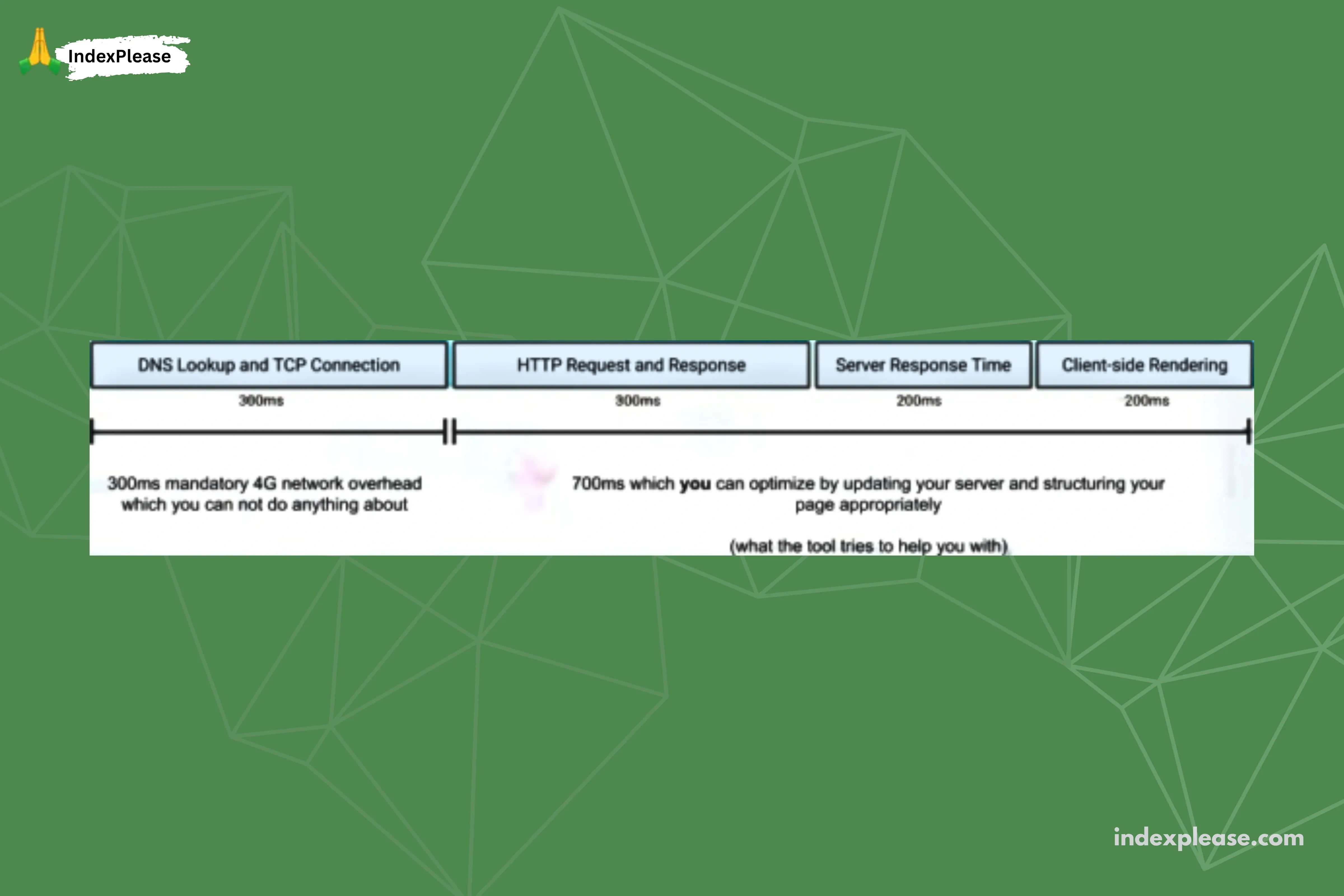
The “one second timeline” (Google’s site speed documentation) divides page loading into three key stages:
Network stage
The connection starts with DNS lookup and TCP connection linking the browser to the server for data transfer. CDNs and smart routing help global sites; optimized hosting aids local sites in loading speed.
Server response stage
After connecting, the visitor’s browser requests the page files from your server. Fast server response is vital, affected by hosting, configuration, theme and plugins. Good hosting (e.g., Bluehost) is essential for speed.
Browser rendering stage
The browser retrieves data, processes CSS and JS and renders elements. It loads content above the fold first for a faster initial experience.
Key causes of website slowdown

Slow websites are usually due to your setup, not visitors’ internet. We’ll fix key areas to boost performance.
Your hosting service
Good hosting improves website performance (speed, stability) through better server configuration and uptime.
Your website theme
Choose a simple, efficient and clean-coded theme for better website speed.
Large file size
Large files, especially JavaScript, slow your site. Reduce file sizes, compress assets and minimize scripts for better speed.
Badly written code
Poor code hurts. Clean code is essential.
Images and videos
Large, unoptimized media slows websites. Optimize by compressing, resizing and using Image SEO for better speed.
Too many plugins and widgets
Excessive plugins slow WordPress; audit regularly.
Absence of a CDN
A CDN stores static content globally, loading your site faster from the nearest server.
Redirects
Avoid excessive or chained redirects; link directly to the final URL.
Measure page speed and diagnose performance issues
Measure page speed to guide website optimization.
Page speed explained
Page speed measures how quickly a website’s content loads and becomes interactive, focusing on overall user experience rather than a single load time.
Website performance core metrics
Core Web Vitals measure real user experience (loading, interactivity, visual stability). Improving them boosts search visibility and user satisfaction.
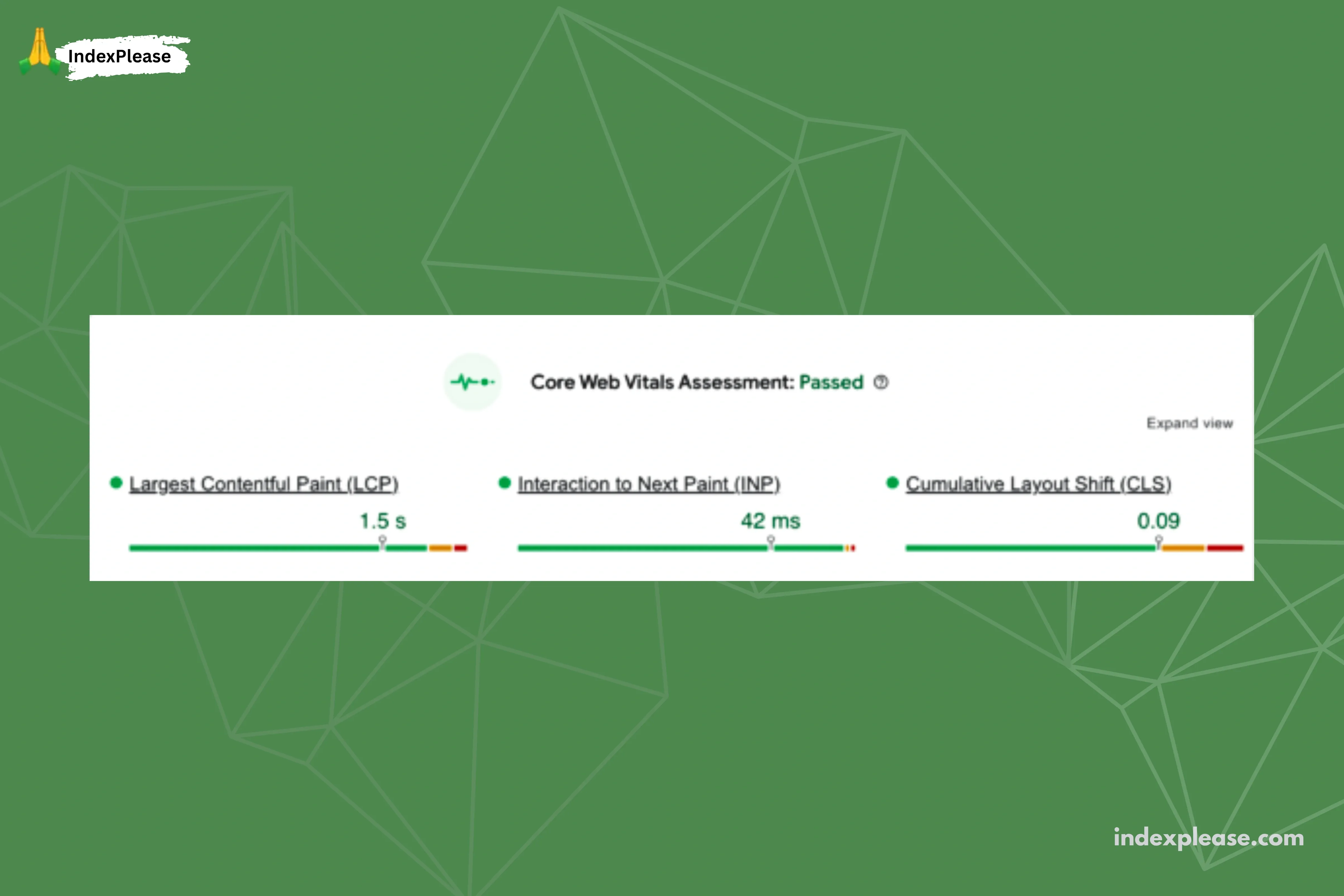
- LCP: Main content load. Target: < 2.5s.
- INP: Site responsiveness. Target: < 200ms.
- CLS: Visual stability. Target: < 0.1.
How to interpret and improve your scores?
Progress and user comfort are key, not perfection.
Core Web Vitals Improvement Checklist:
- Slow LCP: Compress images, use WebP/lazy loading, upgrade hosting.
- High INP: Reduce JS, avoid main thread blocking.
- Poor CLS: Set defined width/height for media/ads.
- High TTFB: Improve server, use caching, consider CDN.
Result: Faster, more stable, interactive experiences.
Tools to measure and analyze your website’s performance
Powerful tools to measure, analyze and improve page loading speed:
Google Page speed insights
PageSpeed Insights is a free Google tool evaluating Core Web Vitals and suggesting load time improvements.
Google Search Console (Page experience report)
‘Page Experience’ tracks mobile/desktop URL performance, identifying URLs failing Core Web Vitals (LCP, FID, CLS) for improvement.
Lighthouse (in Chrome DevTools)
Lighthouse is a Chrome auditing tool for measuring page speed, accessibility, SEO and best practices.
WebPage test
WebPage Test tests website performance across networks, locations and devices. Its ‘waterfall’ view identifies slow resources and rendering delays.
Chrome Developer Tools (Network tab)
Chrome DevTools (F12) is a real-time lab for monitoring resource loading and debugging.
Performance issue quick diagnosis checklist
- PageSpeed Insights for Core Web Vitals
- Page Experience report (Search Console)
- Lighthouse for technical audit
- WebPageTest for bottlenecks
- Monitor server performance (host/plugins)
- Re-test after major updates/plugins
Speed up purposefully
High-performing websites balance speed, usability, accessibility and user intent.
IndexPlease: Accelerating your post-optimization indexing
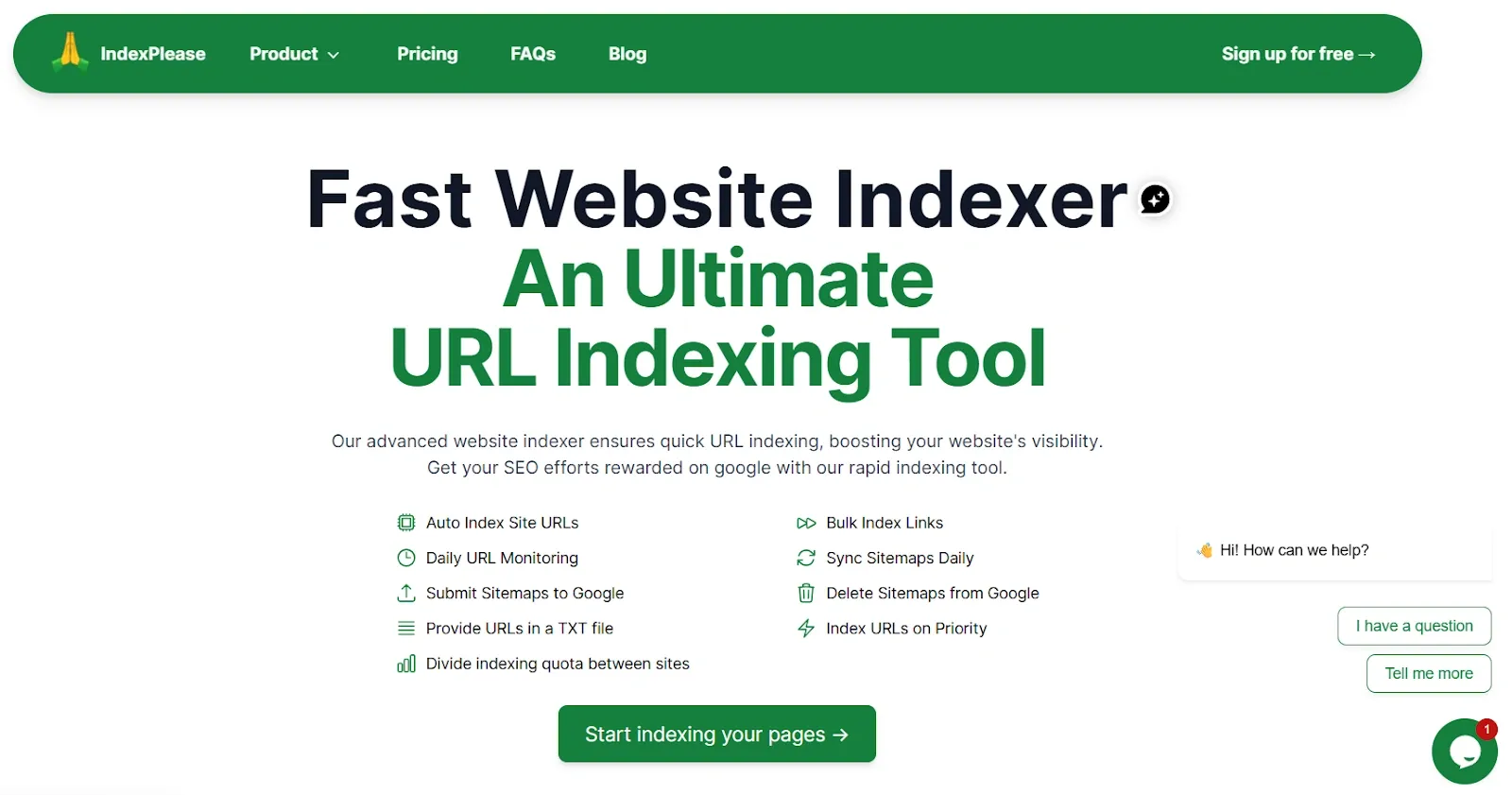
Optimized site? IndexPlease ensures Google swiftly recognizes your speed improvements for better search visibility.
How IndexPlease complements site speed optimization?
| Optimization impact | IndexPlease solution | Benefit |
|---|---|---|
| Improved core web vitals (LCP, INP, CLS) | Priority indexing: Submit improved pages to search engines. | Faster recognition. |
| Optimized crawl budget (Faster Loading) | Smarter, targeted indexing: Quickly crawl improved pages. | Boosts SEO. |
| Enhanced user experience | Continuous monitoring: Tracks indexing status post-submission. | Confirmed. |
IndexPlease helps you actively submit optimized pages to Googlebot for faster discovery and evaluation, ensuring your site speed improvements rapidly translate into better SEO rankings and traffic.
Final thoughts
The thing is, getting your site speed right plays a big part in making things work out well. Sites that load quicker tend to boost conversions, cut down on people leaving right away and make the whole experience better for users. That lines up with what Google looks for in rankings, like those Core Web Vitals signals.
Site speed shows you value the time people spend there. It matters a lot for SEO too. Think of performance as something central to your business that builds trust and gets results. Go with IndexPlease so Google picks up on your improved, faster site without delay.
FAQs
What is site speed optimization and why is it important?
Optimizing your site’s speed helps pages load quicker overall. That change leads to higher conversion rates and fewer visitors bouncing away early. It also makes the whole experience smoother for users. On top of that, it pushes up your Google search rankings, even covering those Core Web Vitals metrics.
What are the Core Web Vitals and what are their targets?
Core Web Vitals measure user experience:
- LCP (Loading): < 2.5s
- INP (Interactivity): < 200ms
- CLS (Visual Stability): < 0.1
What are the key causes of a slow website?
Website slowdowns happen a lot because of things like bad hosting choices. Inefficient themes can drag things down too. Then there are those large files that are not optimized at all, such as images and JavaScript. Bad code plays a role in it. Having too many plugins adds to the problem. Not using a CDN makes it worse. Excessive redirects just slow everything further.
How does hosting affect site speed?
Quality hosting is critical for site speed, especially for server response time (TTFB), affecting overall performance.
What is the role of IndexPlease in the optimization process?
IndexPlease accelerates and efficiently indexes your faster, improved pages, submitting them for priority search engine evaluation so Google quickly recognizes and rewards speed improvements with better rankings.